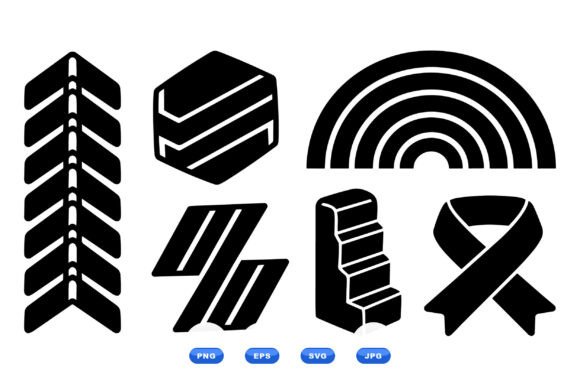
Geometric Shapes Icon Collection: A Practical Guide to Clean Vector Assets
Minimalism remains a dominant force in modern visual communication, but achieving true simplicity is often more complex than it appears. The Geometric Shapes Icon Collection addresses this challenge by providing a curated library of simple black vector icons featuring geometric shapes, symbols, and objects. Designed with a flat aesthetic, these assets are specifically engineered for graphic design, web elements, and user interface projects that demand a clean, modern look. For creators ranging from professional UI designers to small business owners managing their own branding, having access to 100 consistent vector artworks eliminates the friction of mismatched styles and saves hours of drafting time.
This collection is delivered as an instant download ZIP containing scalable SVG vectors, editable EPS files, transparent PNGs, and standard JPG previews. While the versatility makes it ideal for Cricut and Silhouette machines, printing, stickers, apparel, decals, packaging, and digital designs, the value lies not just in the file formats but in the cohesive design language. However, acquiring high-quality assets is only the first step. Many users inadvertently compromise their projects by misunderstanding how to leverage vector geometry effectively. Avoiding common pitfalls ensures that your investment translates into professional-grade results rather than amateurish outputs.
The Misconception of Raster vs. Vector Scalability
One of the most frequent errors observed among beginners and intermediate users is relying on the included JPG or PNG files for production work simply because they are easier to open. While the Geometric Shapes Icon Collection includes raster formats for convenience and previewing, using them for large-format printing or responsive web design defeats the purpose of purchasing a vector pack. Raster images have fixed pixel dimensions; stretching them results in blurriness and artifacting that degrades the perceived quality of your brand.
The Better Approach: Always default to the SVG or EPS files for any project where size may vary. SVGs are mathematically defined, meaning a circle remains perfectly crisp whether it is printed on a business card or a billboard. For web projects, inline SVGs also offer superior performance compared to heavy PNGs, as they scale with viewport changes without increasing load times. Reserve the transparent PNGs strictly for platforms that do not support vector uploads, such as certain social media profile pictures or basic document editors. By prioritizing vector formats, you maintain the sharp, flat design integrity that defines this collection.
Navigating File Compatibility for Cutting Machines
Crafters using Cricut or Silhouette machines often assume that all vector files behave identically across different software ecosystems. This assumption can lead to frustration when nodes appear disconnected, layers merge unexpectedly, or cut lines fail to register. Not all SVG export settings are created equal, and while this collection provides optimized vectors, machine software interprets path data differently than professional design tools like Adobe Illustrator.
To avoid wasted material and time, perform a compatibility check before committing to a full production run. Import the SVG into your specific cutting software and inspect the node structure. If the geometric shapes appear as flattened images rather than editable paths, try importing the EPS version instead, which sometimes retains better path integrity for legacy cutting software. Additionally, ensure that compound paths (shapes with holes, like a donut) are properly welded or grouped. Taking five minutes to verify layer separation and cut settings prevents the costly mistake of ruining vinyl or cardstock due to software misinterpretation.
Overlooking Visual Hierarchy and Negative Space
Having 100 vector artworks at your disposal can tempt designers to overpopulate a layout. A common mistake in geometric design is treating every icon as equally important, resulting in visual noise that confuses the viewer. Flat design relies heavily on negative space to create balance. When geometric shapes are packed too tightly, the clean modern look deteriorates into clutter.
Practical Advice: Treat these icons as functional signposts rather than mere decoration. In user interface projects, ensure adequate padding around each symbol to maintain touch targets and readability. For print materials like packaging or shirts, use the geometric forms to guide the eye toward key information rather than competing with it. If an icon does not serve a clear navigational or communicative purpose, remove it. Restraint is what separates professional minimalism from empty stylization. Use the consistency of this collection to establish a rhythm, allowing the white space to breathe so the selected shapes carry maximum impact.
Ignoring Color Adaptability and Contrast Standards
Although this collection features simple black vector icons, many users fail to adapt the color palette to their specific medium’s technical requirements. Black on screen is not the same as black on fabric or paper. Furthermore, using pure black (#000000) in digital interfaces can cause eye strain and smearing on OLED screens, while in print, rich black versus standard black affects ink saturation and drying times.
Before finalizing your design, adjust the vector colors to match your output environment. For digital interfaces, consider softening the black to a dark charcoal (e.g., #1A1A1A) to reduce harsh contrast while maintaining the flat aesthetic. For apparel and decals, verify that the line weight remains visible against the substrate color; geometric lines that look elegant on a white monitor may disappear entirely on a dark t-shirt. Because these are editable vectors, you have the freedom to modify stroke widths and fills. Do not accept the default settings if they compromise accessibility or legibility in your specific application.
Evaluating Licensing and Commercial Viability
A critical but often overlooked detail involves understanding the usage rights associated with digital asset collections. Users frequently conflate "instant download" with "unrestricted commercial ownership." While the Geometric Shapes Icon Collection is designed for entrepreneurs and freelancers, failing to read the specific license terms can lead to legal complications or platform takedowns later.
Always clarify whether the license permits end-product resale versus template resale. Typically, you can use these geometric shapes on stickers, shirts, and packaging you sell, but you cannot resell the icons themselves as standalone digital assets or unmodified clipart packs. Before launching a product line or client campaign, review the included documentation. If your project involves trademarking a logo derived from these shapes, understand that non-exclusive vector elements generally cannot be trademarked in isolation. Using these icons as part of a larger, unique composition is the safe and intended approach. Respecting these boundaries protects your business and supports the sustainability of quality design resources.
Making Informed Decisions for Long-Term Value
Selecting the right asset library is about more than just counting files; it is about ensuring those files integrate seamlessly into your workflow. When evaluating this Geometric Shapes Icon Collection, look beyond the thumbnail previews. Download the sample or preview file to test editability in your preferred software. Verify that the curves are smooth and the anchor points are logical, as poorly constructed vectors become nightmares to modify. Consider whether the style aligns with your long-term brand identity rather than just a fleeting trend.
By approaching this collection with technical awareness and strategic intent, you transform a simple zip file into a powerful design system. Whether you are creating a cohesive app interface, designing merchandise for a new brand, or teaching design principles to students, the difference between mediocrity and excellence often lies in these foundational details. Prioritize vector integrity, respect visual hierarchy, adapt for medium-specific constraints, and honor licensing terms. These practical corrections ensure that your creative output remains professional, efficient, and legally sound, maximizing the return on your creative investment.